Get started
This guide takes you from no account to a working setup:
- a rulebook that fits your stack;
- one repository whose coding agents follow it;
- a check that runs in CI.
Each step links to the page that covers it in full.
You need:
- an invitation to the early access, or an email you can receive mail at;
- a repository on your computer, with
gitand Node.js 22 or later.
That’s all. The CLI runs with npx, so there’s nothing to install globally.
-
Create your account.
Go to app.groundrule.dev and choose Create an account. Enter your name, your work email and a password of at least 10 characters. Groundrule emails you a confirmation link. Open it and choose Confirm and continue.
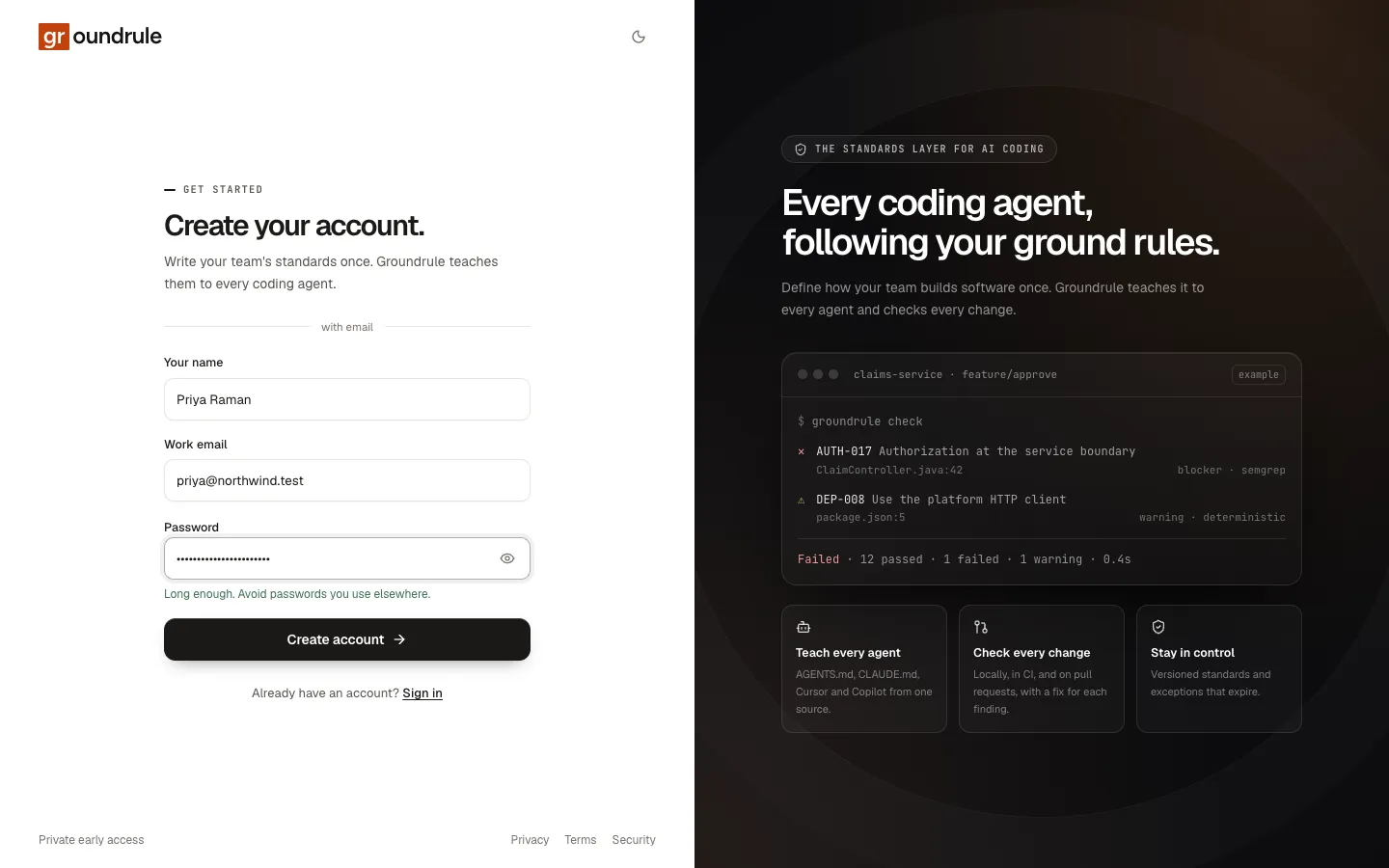
More: Create your account.
-
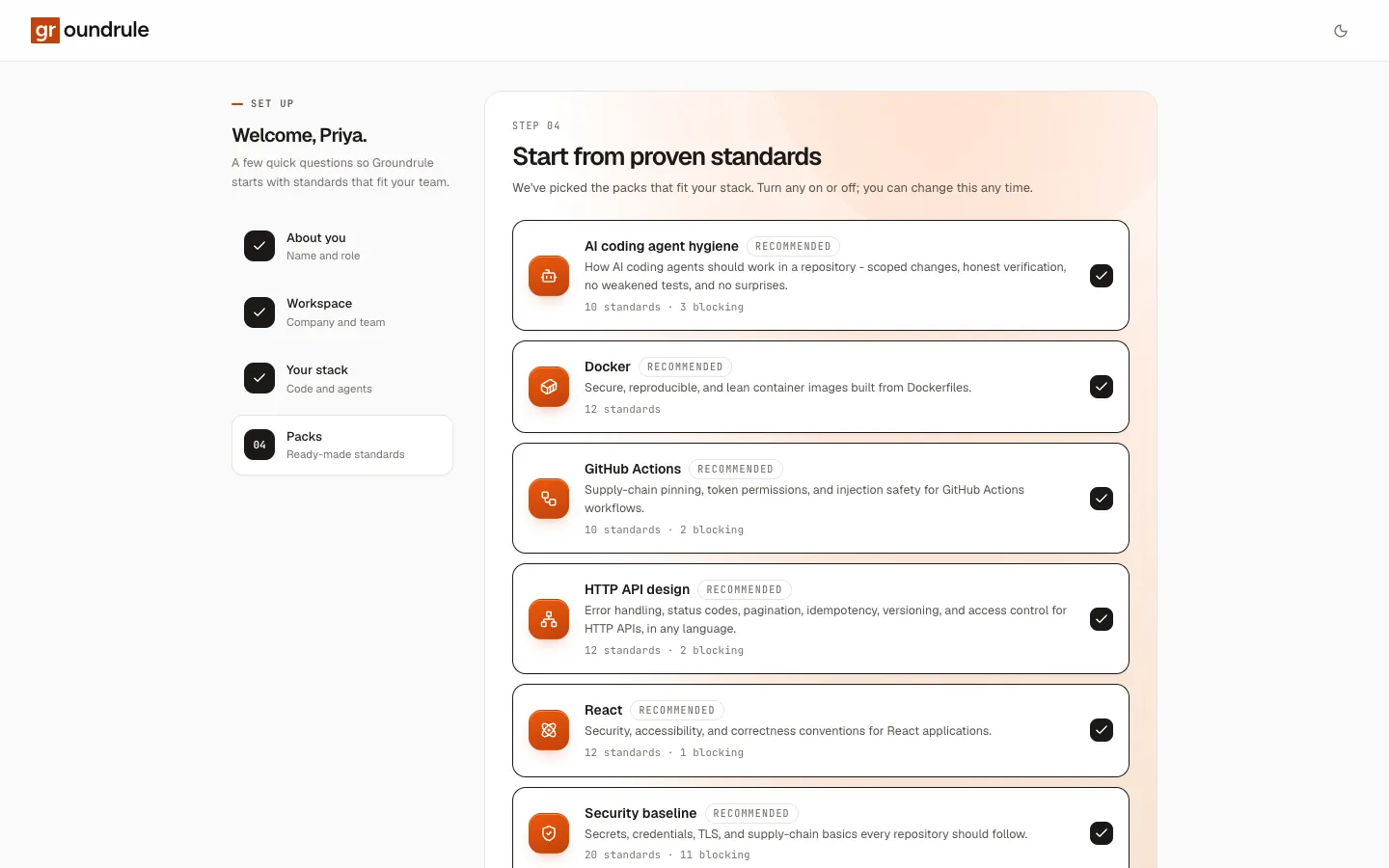
Answer four onboarding questions.
- About you: your name and your role.
- Workspace: your company, the workspace name, and its URL name (for example
acme-payments, which becomesapp.groundrule.dev/acme-payments). - Your stack: languages, infrastructure, coding agents, and where your code is hosted.
- Packs: Groundrule preselects the packs that fit your stack. Keep them; you can change them any time.
Finish with Create your workspace. You land on the dashboard, with the packs’ standards already in your rulebook.
-
Look at what is in effect.
Open Standards. Every rule shows its severity, its stage, and whether it is agent guidance or a deterministic check. Open one to see why it exists, examples, and how it is rolled out. Nothing here can block anyone yet: rules at Teach only reach agent instructions.
More: Rollout stages, Adopting rules.
-
Write one rule of your own.
Choose Describe a rule and say it the way you’d tell a new teammate. For example: “We never call Stripe directly; everything goes through src/payments/gateway.ts.” AI writes the full standard, with examples and a check it has tested against them. Review it, then Save as draft. Or write one yourself with New standard.
More: Describe a rule, Write a standard.
-
Invite your team.
Settings → Members → Invite. Choose a role for each person. Standard owners write and accept rules; developers read the rulebook and connect the CLI.
More: Members and roles.
-
Connect a repository.
In a terminal, inside your repository:
Terminal window npx @groundrule/cli loginnpx @groundrule/cli init --org acme-paymentsnpx @groundrule/cli syncloginopens your browser to approve the CLI.initwrites.groundrule/config.yaml, which links this repository to your workspace.syncwrites your rules intoAGENTS.md,CLAUDE.mdand.cursor/rules/, keeping anything you already wrote there. Commit those files.More: CLI quickstart.
-
Scan it, and bring in what it already says.
Terminal window npx @groundrule/cli scan --uploadThe scan detects your stack, runs every catalog rule against the repository without enforcing anything, and finds the rules the repository already has: instructions in agent files, lint settings, CODEOWNERS. It uploads results and short snippets, not your source.
More: Scan repositories.
-
Review the inbox.
Open Inbox. What the scan found waits here as proposals: instructions to turn into standards, tool settings to adopt, owners to assign. Accept, edit or reject each one. You can also Import a document, such as a handbook, a PDF, or a Notion page, and AI finds the rules in it.
More: The review inbox, Import documents.
-
Check changes in CI.
Add two steps to your CI. In GitHub Actions:
- run: npx @groundrule/cli sync --check- run: npx @groundrule/cli check --base origin/${{ github.base_ref }}The first fails if the agent files are out of date. The second checks only what the pull request changed, and fails on blockers at Enforce. CI uses a token from Settings → API tokens as
GROUNDRULE_TOKEN.More: Run Groundrule in CI.
-
Move rules forward with evidence.
Run
scan --uploadregularly, for example nightly in CI. When a rule has been clean everywhere for long enough, the inbox suggests moving it to the next stage under Ready to move forward. Promote it, or hide the suggestion for a while.More: Evidence, Promotions.