Signing keys
A check result can be signed by whoever produced it, so anyone with the matching public key can prove later that the run wasn’t altered: not on the way to Groundrule, not by Groundrule, and not in a downloaded copy. Your CI signs its own results with a key you generate; Groundrule signs the results of hosted checks with its own key. Verification needs nothing from Groundrule: a downloaded run and the public key.
The format is open (RFC 0008): an Ed25519 signature over the run, minus code snippets, so a run keeps its signature when snippets are redacted or dropped.
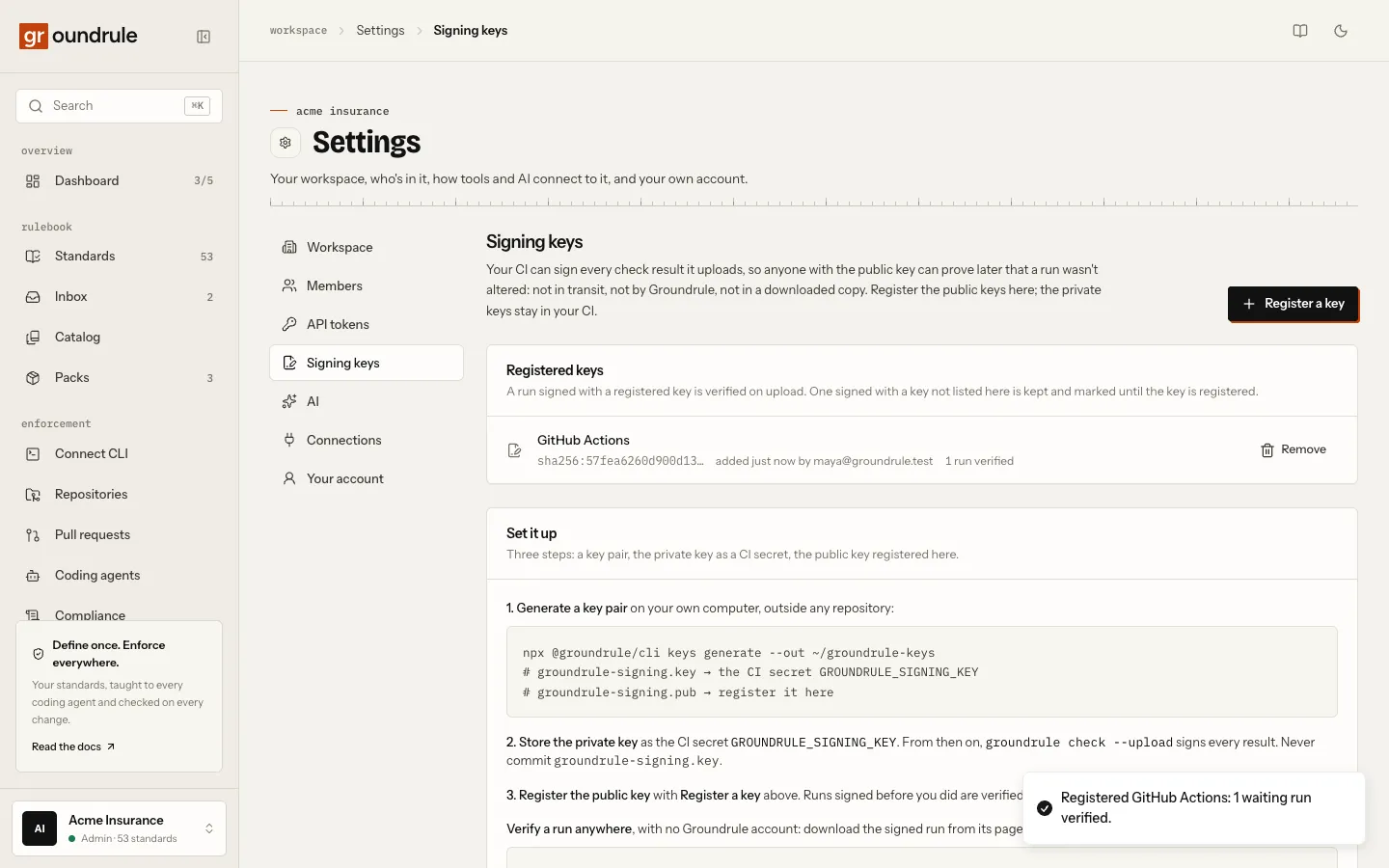
Set it up
Section titled “Set it up”You need a key pair, a CI secret, and the public key registered in the workspace.
-
Generate a key pair on your own computer, outside any repository:
Terminal window npx @groundrule/cli keys generate --out ~/groundrule-keysIt writes
groundrule-signing.key(the private key, readable only by you) andgroundrule-signing.pub, and prints the public key and its ID. It never prints the private key, and it refuses to overwrite existing files. -
Store the private key as a CI secret named
GROUNDRULE_SIGNING_KEY, with the whole contents ofgroundrule-signing.key. For a system that can’t keep multi-line secrets, store the base64 of the file instead; the CLI accepts both. From then on, everygroundrule check --uploadin that CI signs its result; the log line says “✓ Uploaded, signed, to …”. Never commitgroundrule-signing.key. -
Register the public key. Open Settings → Signing keys, choose Register a key, give it a name such as “GitHub Actions”, and paste the contents of
groundrule-signing.pub. Only admins can register or remove keys; every member can see them.
You should see the key listed with its ID (sha256:…), who added it, and how many runs it verified. If runs were uploaded before you registered the key, they are verified at that moment, and the confirmation says how many.
What each run says
Section titled “What each run says”Every run’s page has a signature line under How it was checked:
| What it says | Meaning |
|---|---|
| “Signed by GitHub Actions, verified” | The run was signed with the registered key of that name, and the signature matches. Download the signed run gives you the exact signed document. |
| “Signed by Groundrule, verified” | A hosted check, signed with Groundrule’s own key. |
| “Signed by GitHub Actions for acme/payments, workflow groundrule.yml on refs/heads/main, verified with Sigstore” | A keyless signature: the job’s own identity, verified against Sigstore’s trust root and the policy that the signer is a workflow of this repository. |
| “Signed by a key since removed from this workspace, verified” | It verified when uploaded; an admin removed the key later. |
| “Signed with a key this workspace hasn’t registered (sha256:…)” | Register the key under Settings → Signing keys to verify this run. |
| “Signed, but the signature doesn’t match the run” | The run was altered after signing, or signed with a different key than it names. An upload like this is refused outright; this state only appears when the key wasn’t registered at upload time and the run failed verification once it was. |
| “Not signed.” | No signature. CI runs: set up a key as above. Hosted runs: Groundrule wasn’t signing when the run was checked. |
Verify a run yourself
Section titled “Verify a run yourself”On the run’s page, choose Download the signed run. The file is the run exactly as signed, plus its signature. Then:
npx @groundrule/cli verify groundrule-run-acme-payments-1a2b3c4d5e6f.json --key groundrule-signing.pubYou should see “✓ Signature verified: signed with key sha256:…”, followed by the repository and commit, the result, and the rulebook digest. The exit code is 0. If the file was changed, even one character, you see “✕ Not verified. The signature doesn’t match the run: it was altered after signing, or forged.” and exit code 1. With the wrong public key: “The run was signed with key sha256:…, not the key given.”
Hosted runs are verified the same way against Groundrule’s public key, published at https://api.groundrule.dev/.well-known/groundrule-keys.json. The file lists { algorithm, keyId, publicKey } for each current key; when a key rotates, the new one is listed alongside the old, so runs signed with either verify.
Remove or rotate a key
Section titled “Remove or rotate a key”- Remove a key from Settings → Signing keys. Runs it verified keep their status; new runs signed with it are stored as “signed with a key this workspace hasn’t registered”.
- Rotate by generating a new pair, registering the new public key, updating the CI secret, and removing the old key once no CI job uses it.
- A workspace can register at most 20 keys.
What leaves your machine
Section titled “What leaves your machine”A signature (64 bytes) and the key’s ID. Never the private key. The signature covers everything in the run except code snippets; see What is sent.