CLI quickstart
This guide connects one repository to your Groundrule workspace in about ten minutes. At the end:
- your coding agents read your organization’s rules from
AGENTS.md,CLAUDE.mdand.cursor/rules/; - you can check your changes against those rules;
- the workspace has a scan of the repository.
You need:
- a member account in a Groundrule workspace (any role can connect the CLI);
- a git repository on your computer;
- Node.js 22 or later. See Install the CLI.
The examples use the workspace Acme Payments, whose URL name is acme-payments, and a repository called acme/checkout-api. Use your own workspace’s URL name: it’s the part after app.groundrule.dev/ in the dashboard’s address.
-
Sign in from your terminal.
Run this anywhere:
Terminal window npx @groundrule/cli loginThe CLI prints a one-time code and opens your browser at the approval page:
groundrule login · https://app.groundrule.devYour one-time code: ZKRW-QJHDApprove it at: https://app.groundrule.dev/cli/activate?code=ZKRW-QJHDOpened your browser. Check the code matches, then approve.Waiting for approval… -
Approve the CLI in your browser.
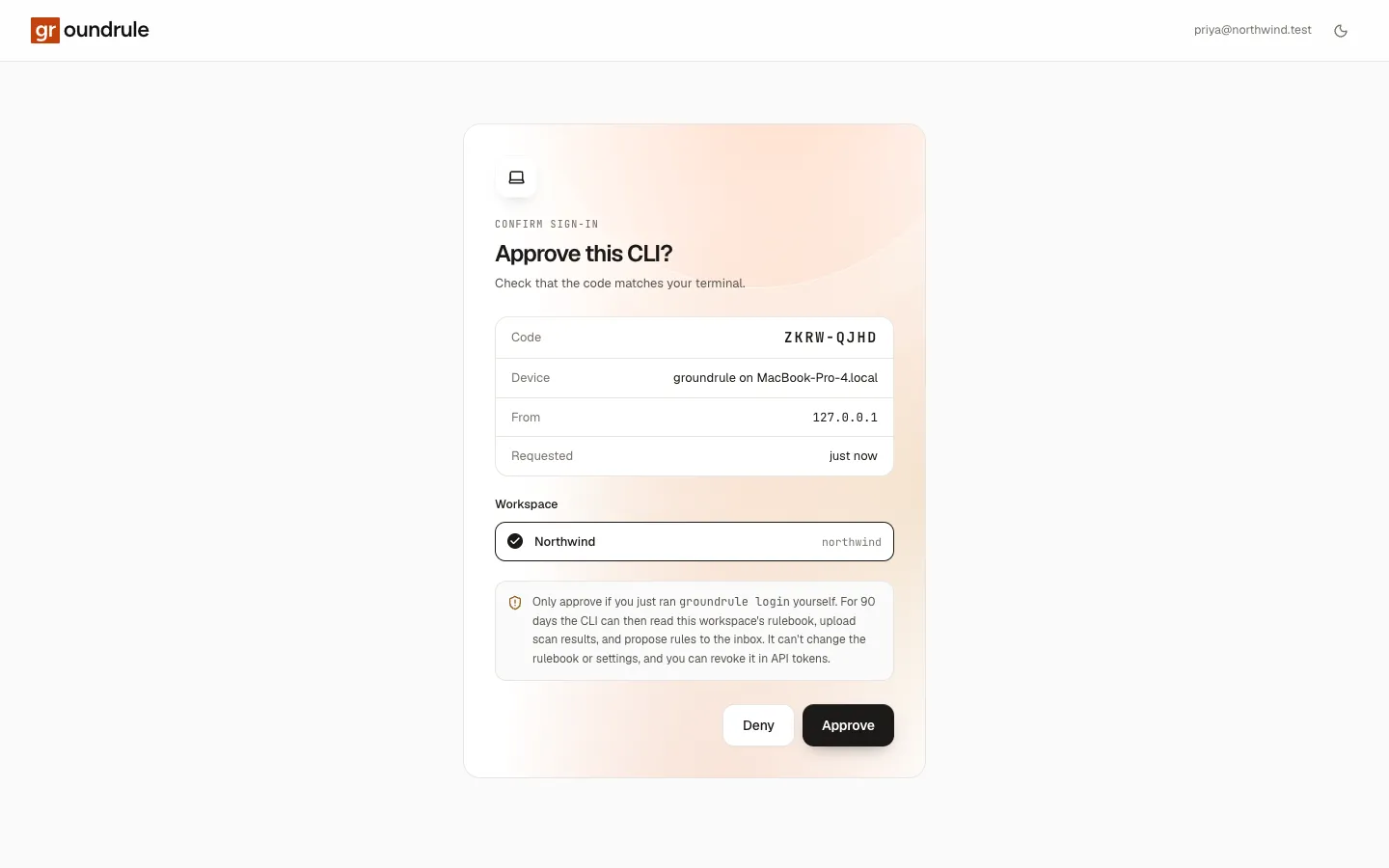
The page Approve this CLI? shows the Code, the Device (for example “groundrule on MacBook-Pro-4.local”), where the request came From, and when it was Requested. Check that the code matches your terminal. Choose the Workspace to connect, then choose Approve.
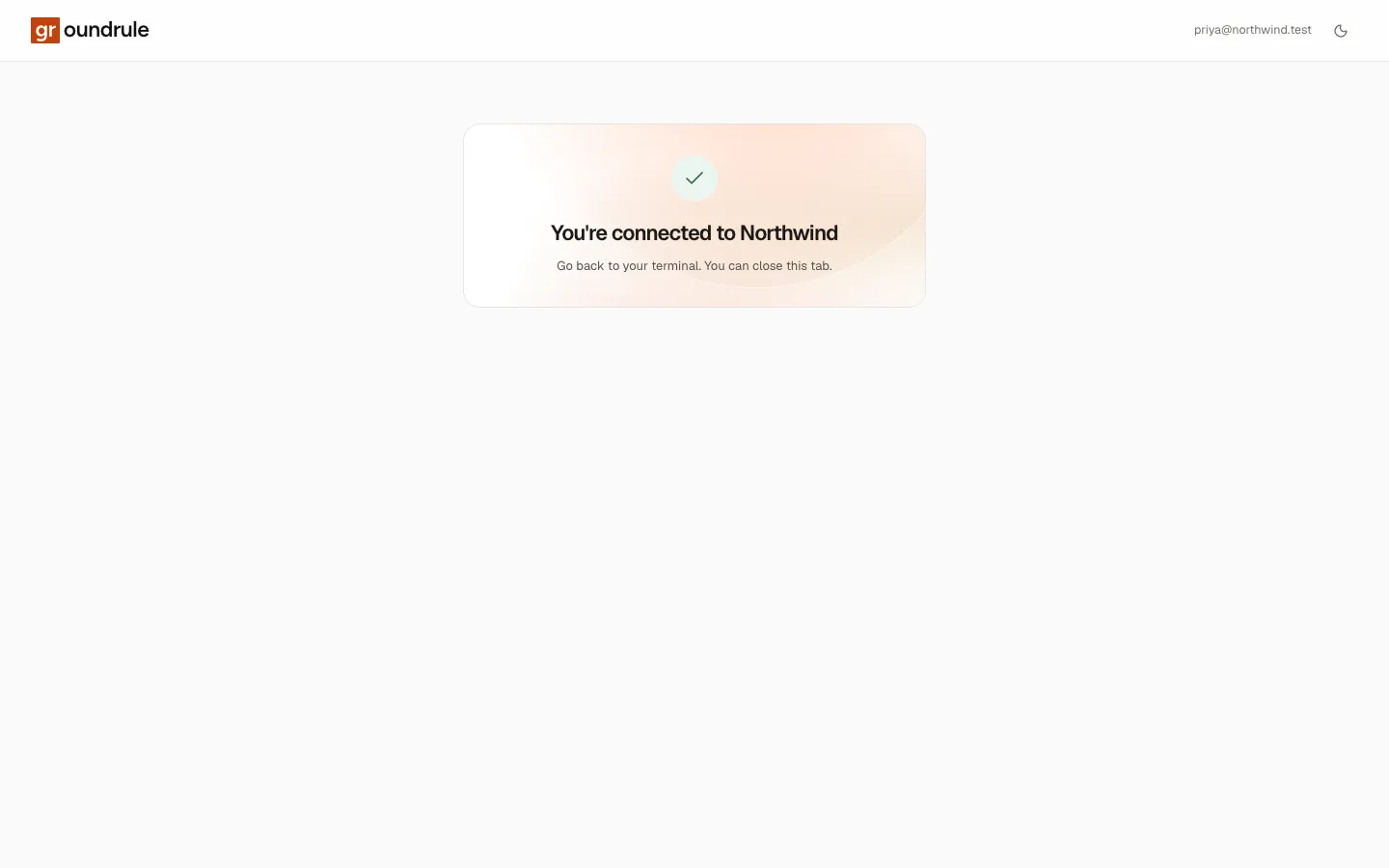
The browser then says “You’re connected to Acme Payments”. Go back to your terminal. You can close the tab.
The terminal finishes:
✓ Signed in to Acme Payments (acme-payments) as maya@acme.exampleSaved to /Users/maya/.config/groundrule/credentials.json (only you can read it).Next1. groundrule init --org acme-payments connect this repository (or add platform: { org: acme-payments } to .groundrule/config.yaml)2. groundrule sync write your organization's rules for your coding agentsIf you choose Deny, or the code expires after 10 minutes, nothing is saved; run
loginagain. More: Sign in from the CLI. -
Connect the repository.
In the repository’s folder:
Terminal window npx @groundrule/cli init --org acme-paymentsYou should see:
✓ Created .groundrule/config.yamlPlatform acme-payments on https://app.groundrule.devAgents AGENTS.md, CLAUDE.md, .cursor/rules/Detected typescript, javascriptNext1. groundrule sync write instructions for your coding agents2. groundrule check check your current changes3. Add your own rules in .groundrule/standards/ (see EXAMPLE-001.yaml.sample)initwrites.groundrule/config.yamlwithplatform: { org: acme-payments }. The Agents line lists the agent files it will keep up to date:AGENTS.mdalways, plus the agents your workspace said it uses and any agent files already in the repository. More: Connect a repository. -
Write the agent files.
Terminal window npx @groundrule/cli syncgroundrule sync · 79 standards → agents-md, claude-code, cursorFrom Acme Payments on Groundrule (organization rules): rules at Teach, Advise, and Enforce+ .cursor/rules/groundrule.mdc created~ AGENTS.md updated~ CLAUDE.md updated✓ Done. Commit these files so every agent gets the same rules.+means the file was created,~that it was updated. IfAGENTS.mdorCLAUDE.mdalready had your own notes, they’re still there: Groundrule writes only between its own markers. More: Write agent instructions (sync).You may also see this warning above the output:
! .groundrule/config.yaml acme/checkout-api isn't registered in acme-payments, so the organization's rules apply. Add it under Teams → Repositories to use its team's settings.It’s safe to continue. The repository gets the organization’s rules. To give it its team’s stricter settings, an Admin or Platform admin adds it in Teams → Repositories. See Connect a repository.
-
Look at what your agents will read.
Open
AGENTS.md. Near the end you’ll find a block that starts with<!-- groundrule:begin -->. It holds an “Engineering standards” section: each rule’s ID, title and severity, one or two lines saying what to do, and a Do and a Don’t example where the rule has them. Rules that apply only to some paths are grouped under those paths.CLAUDE.mdcontains a short block that points Claude Code to@AGENTS.md, so the rules aren’t repeated..cursor/rules/groundrule.mdcholds the same rules for Cursor. -
Check the whole repository once.
Terminal window npx @groundrule/cli check --all--allchecks every file, not only your changes. On a repository with a few problems, you see something like this:groundrule check · 43 standards · 14 files (full audit)✕ GHA-003 Do not interpolate untrusted event data into scriptsBLOCKER · deterministic (regex).github/workflows/ci.yml:8Untrusted event data interpolated into a script8: - run: echo "${{ github.event.pull_request.title }}"→ Move the expression into the step's env: block (e.g. TITLE: ${{ github.event.issue.title }}) and use "$TITLE" in the script, always double-quoted.→ groundrule explain GHA-003⚠ TS-001 No console.log in application codewarning · deterministic (regex)src/http/refunds.ts:4console.log in application code4: console.log("refunding", id, amount);→ Replace it with the project's logger, or remove it.→ groundrule explain TS-001Failed ✓ 31 passed ✕ 1 failed ⚠ 5 warnings 6 not applicable · 0.0sA red
✕and an uppercase severity mean the finding fails the check: here GHA-003 is a blocker at Enforce. A yellow⚠is a warning that doesn’t fail it. The check counts only rules at Advise and Enforce; rules at Teach reach your agents but aren’t checked. The command exits with code 1 when the check fails and 0 when it passes.Day to day, run
npx @groundrule/cli checkwithout--all: it checks only the lines you changed. More: Check your changes. -
Read why a rule exists.
Terminal window npx @groundrule/cli explain GHA-003explainprints the requirement, why it exists, where it applies, Do and Don’t examples, how to fix it, how it’s checked, exceptions, and references. More: Inspect your rules. -
Scan the repository and share the results.
Terminal window npx @groundrule/cli scan --uploadThe scan runs the whole catalog against the repository without changing or enforcing anything. It also finds the rules the repository already has. The summary ends with a link:
groundrule scan · acme/checkout-api · 14 files · 0.1sStack TypeScript, JavaScript, fastifyAgent files AGENTS.md (495 lines, from sync), CLAUDE.md (10 lines, from sync)Tools codeowners (2 rules), docker, eslint, github-actions, typescript (strict)Rules 171 in the catalog · 90 apply here✓ 35 already pass ! 6 with findings (6) ◇ 49 guidance only…Imports 4 instructions from agent files · 3 tool settings that match catalog rules · 2 CODEOWNERS entriesAlready enforced by your tools: TS-001, TS-007✓ Uploaded to Acme Payments: https://app.groundrule.dev/acme-payments/scans/38208a34-8dba-48dc-891f-07c8add82da9Open the link to see the scan in the dashboard. What it imported waits in the Inbox for a reviewer. More: Scan a repository.
-
Commit the files.
Terminal window git add .groundrule AGENTS.md CLAUDE.md .cursor/rulesgit commit -m "Connect Groundrule"Commit
.groundrule/config.yaml,.groundrule/standards/and every agent filesyncwrote. Never commit your credentials: they live in your home folder, not in the repository.
If something goes wrong
Section titled “If something goes wrong”| You see | What to do |
|---|---|
Not signed in to acme-payments on https://app.groundrule.dev. Run groundrule login (or set GROUNDRULE_TOKEN in CI). |
Run npx @groundrule/cli login and approve it for that workspace. |
This repository uses acme-payments. Run login again and approve it for acme-payments. |
You approved a different workspace. Run login again and pick the right one in Workspace. |
.groundrule/config.yaml already exists. Use --force to overwrite it. |
The repository is already set up. Edit the file, or run init --force to replace it. |
"Acme Payments" isn't an organization URL name. |
Use the URL name (acme-payments), not the display name. |
Couldn't reach Groundrule at https://app.groundrule.dev (…) |
Check your network connection, proxy, or GROUNDRULE_URL. |
npx @groundrule/cli doctor checks your Node.js version, the configuration, the connection to your workspace, and whether the agent files are up to date.